Best AI Prompts for Profile Pictures
A practical workflow for creating polished AI profile pictures that preserve identity, improve composition and avoid the flat generic avatar look.
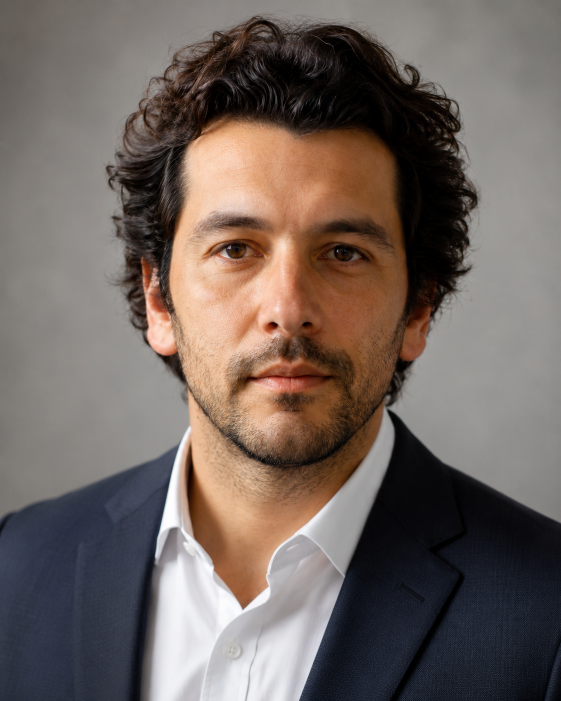
A profile picture is small, but people judge it quickly. It should look like you, fit the platform and avoid the waxy, over-smoothed finish that makes many AI portraits feel fake. A good prompt does not simply ask for a “professional headshot.” It controls identity, crop, lighting, background and level of retouching. The best AI profile prompts start from a real photo and treat the edit like a careful portrait session. You can improve the clothes, background and atmosphere, but the face should still feel familiar.
Write for the platform
LinkedIn, Instagram, WhatsApp and a creator profile do not need the same image. LinkedIn usually benefits from a clean background, confident expression and simple clothing. A creator avatar can be warmer or more stylized. A dating profile should feel natural rather than corporate. The prompt should say this clearly before the style gets too broad.
- For LinkedIn: clean background, natural smile, realistic skin texture.
- For creators: stronger color palette, memorable crop, warmer mood.
- For messaging apps: relaxed expression and less formal lighting.
- For avatars: square crop and a readable face at small size.
Identity rules matter more than style
If the image is meant to represent a real person, preserve the important visual traits: face shape, hairstyle, age range, skin tone, eye shape and general expression. Ask for light retouching, not a new person. Avoid phrases like “perfect face” or “flawless beauty” because they push the model toward generic features.
Use the uploaded portrait as the identity reference.
Create a natural professional profile photo of the same person.
Preserve face shape, hairstyle, age range, skin tone and relaxed expression.
Composition: square crop, head and shoulders, eyes clearly visible.
Lighting: soft window light, natural skin texture, gentle background blur.
Background: simple neutral office or warm studio wall, no logos.
Avoid: changing identity, plastic skin, heavy makeup, extra people, text, distorted hands, fake corporate badge.
Bad prompt vs better prompt
Weak:
Make me look professional and attractive.

Better:
Transform the uploaded photo into a natural LinkedIn-style profile image. Keep the same face, hairstyle, skin tone and age range. Use a simple navy blazer, soft daylight, neutral background and square head-and-shoulders crop. Keep the expression approachable, not overly posed. Avoid plastic skin, changing facial features, fake text, logos and extra people.
Ask for natural retouching
Many AI portraits fail because they look too perfect. Real profile photos need a little texture: skin pores, natural hair detail, normal shadows and asymmetry. Instead of asking for flawless skin, ask for “natural skin texture” and “subtle retouching.” That small change often makes the result feel less artificial.
Mistakes to avoid
- Using an old or blurry reference photo and expecting a clean identity match.
- Asking for a background that is more interesting than the face.
- Overusing beauty language that changes real features.
- Forgetting the crop, then getting a portrait that does not work as an avatar.
Frequently asked questions
What is the best aspect ratio for profile photos?
Square is the safest choice because most platforms crop avatars into a circle or square.
How do I avoid the fake AI portrait look?
Ask for natural skin texture, subtle retouching, realistic lighting and identity preservation.
Can I change clothing?
Yes, but keep it simple and suitable for the platform. Clothing should support the portrait, not dominate it.
Should the background be detailed?
Usually no. A simple background makes the face easier to read at small size.
Design a cleaner profile image
Start from a real photo and control the crop, background and identity details.
Explore people prompts